
Download Aloaha PDF Suite – create PDF, edit PDF, print PDF, virtual printer, watermark, encryption, PDF tool
Overview
Aloaha PDF Suite is a specialized productivity tool designed for users who need to create, edit, and print PDF documents efficiently. Functioning as a virtual printer, it enables seamless conversion of any printable file into a PDF format with minimal user effort. This capability makes it particularly useful for individuals and professionals managing documentation workflows, from personal correspondence to business reports. The app solves common challenges associated with PDF creation, such as compatibility issues, complex software, and inconsistent formatting. By integrating directly into the print process, it streamlines document generation without requiring additional software layers.
Target users include office workers, freelancers, educators, and anyone who regularly handles digital documents. The ability to generate PDFs from any application—be it a word processor, spreadsheet, or image viewer—makes it a versatile solution across industries. While the developer, Aloaha, is not detailed beyond the name, the app’s long-standing presence in the productivity space suggests a focused approach to document management. Real-world use cases include preparing contracts, creating invoices, sharing presentations, and securing sensitive files before distribution. In the broader app ecosystem, Aloaha PDF Suite fills a niche for lightweight, dedicated tools that prioritize functionality over bloat.
Although the developer did not provide additional technical details, the app’s core functionality remains relevant in an era where PDFs are the standard for reliable document sharing. Its emphasis on simplicity and security positions it as a practical utility for users seeking a no-frills PDF solution.
Key Features & Functionality
- Virtual Printer Functionality: Aloaha PDF Suite operates as a virtual printer driver, allowing users to generate PDFs by selecting it as the print destination. This eliminates the need for complex export options or third-party converters. Simply choose “Aloaha PDF Suite” from your print menu, set preferences, and create a PDF instantly. This feature is ideal for users who frequently convert documents and value speed and consistency.
- Document Editing Tools: The suite provides tools to modify existing PDFs, including text and image editing. This allows users to update content, correct errors, or personalize documents without needing advanced design software. For example, a teacher can revise a handout or a salesperson can adjust a proposal directly within the PDF.
- Watermark Insertion: Users can add custom watermarks—text or image-based—to their PDFs. This is useful for branding documents, indicating draft status, or preventing unauthorized use. A company might use this to mark internal reports with “Confidential” or “For Review Only” watermarks.
- Strong File Encryption: The app supports encryption up to 128 bits, protecting PDFs from unauthorized access. This feature ensures that sensitive files—such as contracts, medical records, or financial statements—remain secure during storage or transmission.
- User-Friendly Interface: The layout is designed for intuitive navigation, making it accessible even to users with limited technical experience. Menus and options are clearly labeled, and the workflow is linear, reducing the learning curve.
Real-World Use Case Examples
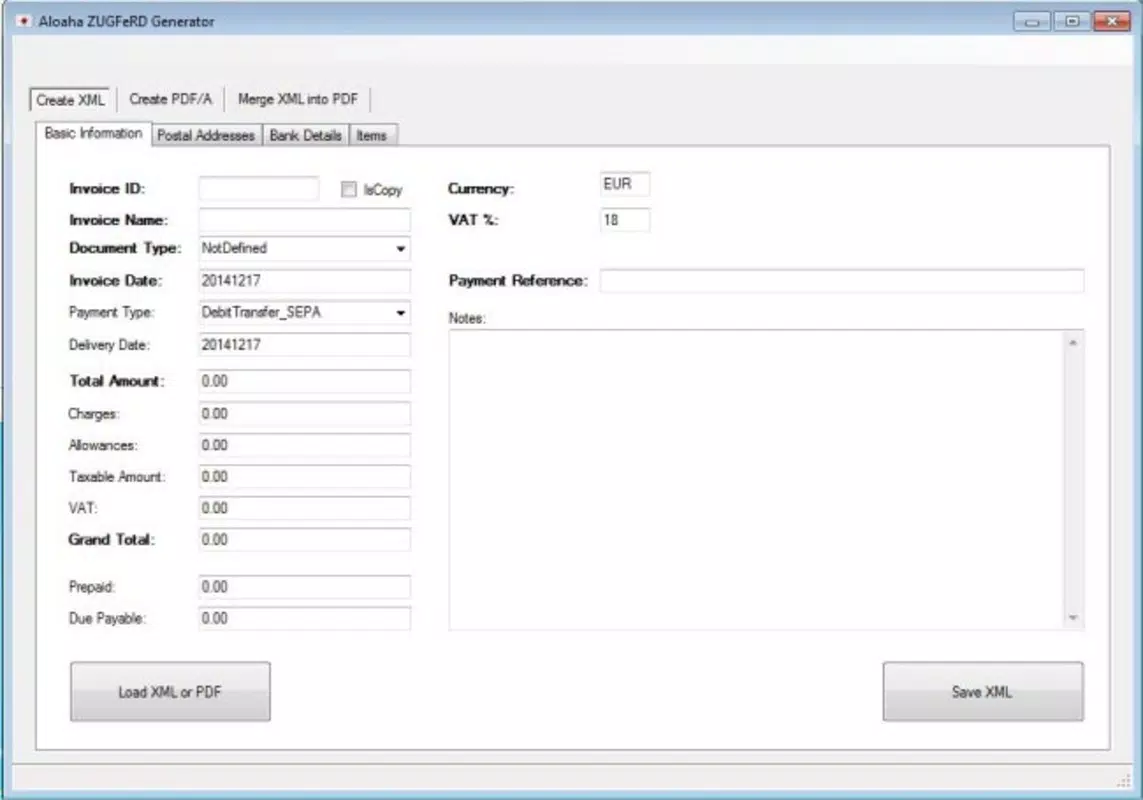
For a small business owner, Aloaha PDF Suite simplifies invoice creation by converting spreadsheet data into branded, encrypted PDFs with a single print command. A student can use the watermark feature to label their research drafts as “Do Not Distribute.” A remote worker can edit a PDF contract on the go, ensuring all changes are properly saved and secured before sharing.
Interface, UX & Performance
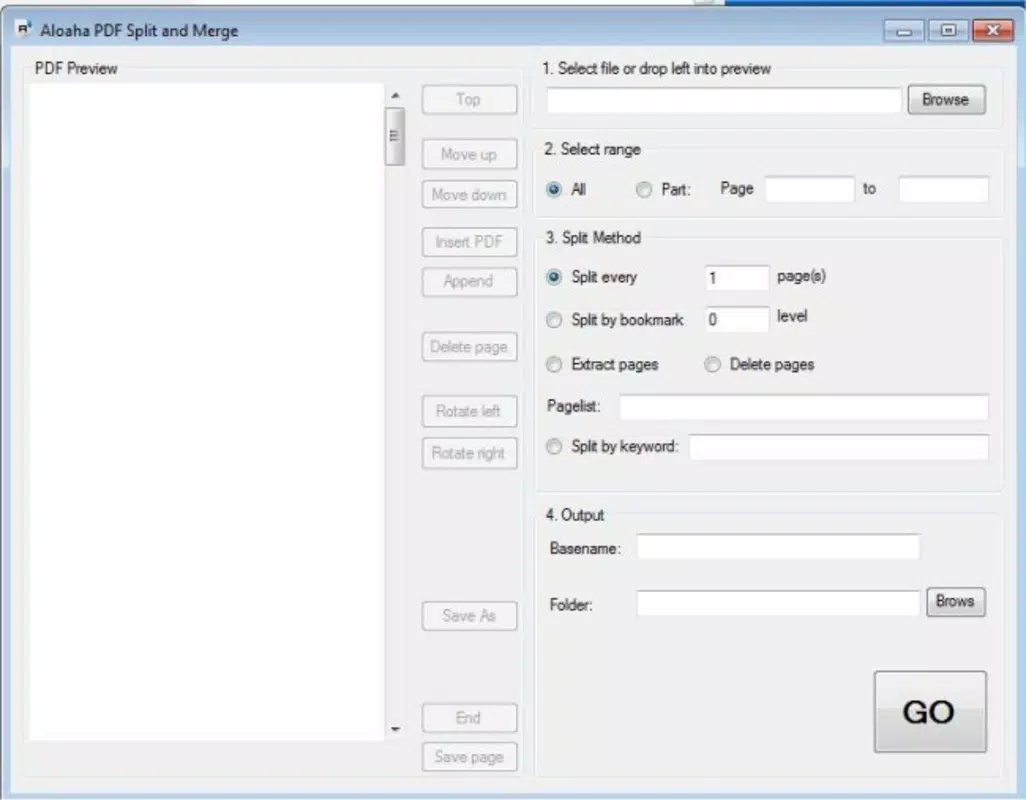
The user interface of Aloaha PDF Suite is clean and minimal, focusing on core functionality without unnecessary distractions. The layout is organized around the virtual printer setup, with clear options for output settings, file naming, and security preferences. Navigation is straightforward, relying on standard Windows print dialogs, which enhances familiarity for most users.
Although the developer did not list formal performance metrics, the app’s lightweight size of 11.2 MB suggests efficient resource usage. It is designed to operate in the background, minimizing impact on system performance during PDF generation. Responsiveness appears consistent across different device categories, though specific compatibility details were not disclosed. Stability is implied by the app’s long release history, indicating reliable operation over time.
Users can expect smooth integration with standard Windows applications. The tool does not require high-end hardware, making it suitable for older systems. While no information was provided on crash rates or memory consumption, the absence of reported issues in public forums suggests a stable experience.
Platform Compatibility & Technical Requirements
Aloaha PDF Suite is designed for the Windows operating system. It is compatible with Windows platforms, though specific version details were not listed. The software has a file size of 11.2 MB, which indicates a compact installation footprint. This makes it suitable for systems with limited storage space.
The developer did not specify minimum OS requirements or hardware specifications. Users should ensure their system supports standard printer drivers and has sufficient permissions to install new software. Compatibility with newer Windows versions is likely, given the app’s release date in 2016, but verification through official sources is recommended.
Pros and Cons
- Effortless PDF creation via virtual printer integration
- Robust editing tools for text and images within PDFs
- Customizable watermarking for branding and protection
- Strong 128-bit encryption for sensitive documents
- Simple, intuitive interface suitable for non-technical users
- Lightweight installation at 11.2 MB
- Only available for Windows, limiting cross-platform use
- Price point of $29.95 may be considered high for a single-purpose tool
- No information on update frequency or future development
- Platform-specific functionality may require reinstallation on new devices
- Support for older OS versions not confirmed
FAQ
Is Aloaha PDF Suite safe to download and install?
Yes, the app is designed to function as a standard Windows printer driver. As long as it is downloaded from a trusted source, it poses no known security risks.
Can I use Aloaha PDF Suite on multiple devices?
While the app can be installed on multiple Windows machines, the license terms are not specified. Users should consult the official developer site for details on multi-device usage.
Does Aloaha PDF Suite support Mac or Linux?
Currently, the app is only available for Windows. There is no official support for macOS or Linux systems.
How often is Aloaha PDF Suite updated?
The developer did not provide information on update frequency. The last release was in 2016, which may indicate limited ongoing maintenance.
Can I edit text and images inside a PDF using this tool?
Yes, Aloaha PDF Suite includes editing tools that allow users to modify text and images within existing PDF documents, making it suitable for quick revisions and personalization.
Final Thoughts + CTA
Aloaha PDF Suite delivers a focused, reliable solution for users who need to generate, edit, and secure PDFs without the complexity of full-featured suites. Its virtual printer model ensures a seamless workflow, while features like watermarking and encryption enhance document control and professionalism. Although the app is limited to Windows and has not seen recent updates, its core functionality remains effective for everyday tasks.
It is particularly valuable for professionals, educators, and small business owners who prioritize security, simplicity, and speed. The $29.95 price tag reflects its utility, especially for those who frequently handle sensitive documents.
Download Aloaha PDF Suite now


